Never Lose a Customer Between AI and Your Team
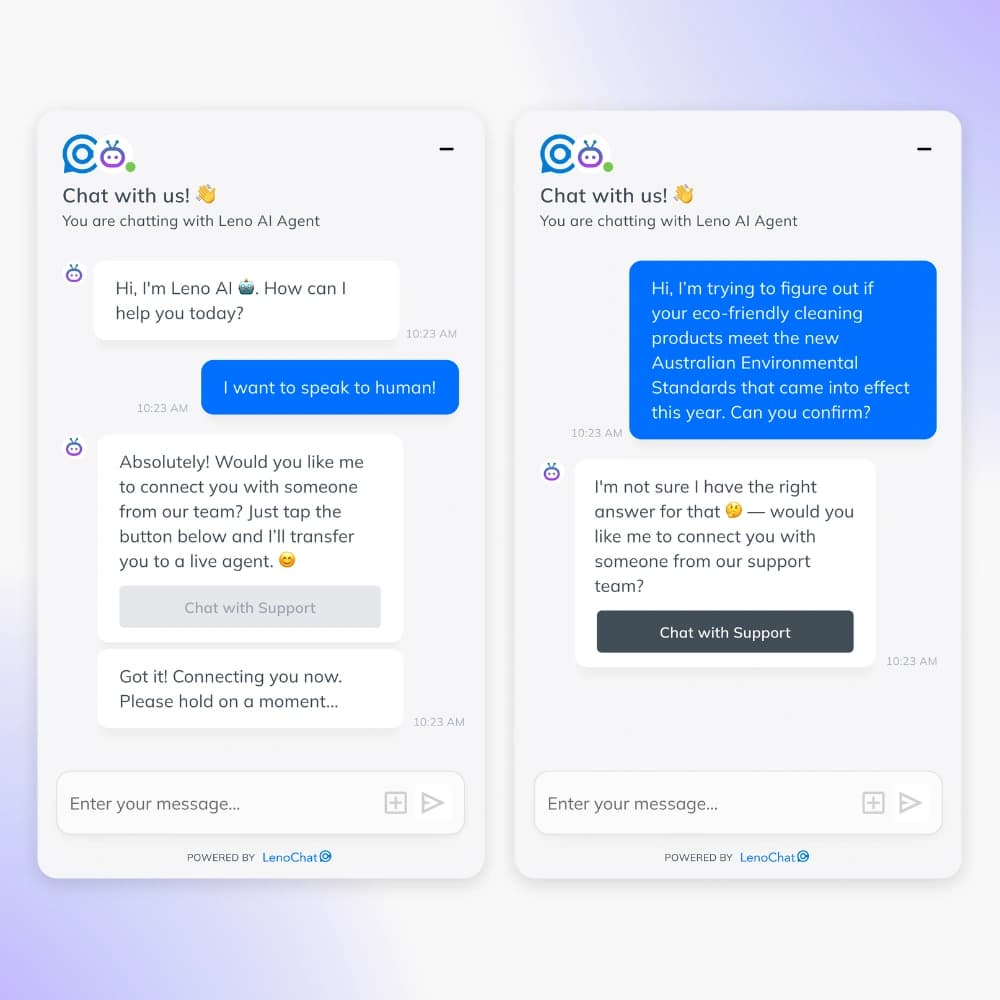
When Leno AI can't answer a question or a visitor asks for a human, LenoChat routes the conversation automatically — to a live agent during business hours or a contact form after hours. No conversation goes unanswered.
Try LenoChat FreeWhat happens when your chatbot can't answer?
Most businesses set up a chatbot and hope for the best. But when the AI hits its limit — and it will — visitors get stuck. They leave. They don't come back.
The gap between automated and human support is where businesses lose customers. A visitor asks a complex question at 10 PM. The bot can't help. There's no agent online. No contact form. The visitor closes the tab.
That's a lost sale you never knew about.
Smart Handoff That Works Around Your Schedule
LenoChat gives you separate handoff rules for when your team is online and when they're not. During business hours, conversations go straight to your agents. After hours, visitors get a contact form so you can follow up by email. You decide. The AI executes.
Your team is online? Hand it over.
When a visitor needs human help and your team is available, LenoChat moves the conversation to your unassigned chat list. An agent picks it up and continues where the AI left off — with full chat history preserved. No re-explaining. No friction. Just a smooth transition from AI to human.
Your team is offline? Capture the lead.
When your team is away, LenoChat shows a contact form instead of leaving visitors with a dead end. Visitors enter their name, email, and message. You get an email notification and can follow up when you're back. Every inquiry is captured. No conversation slips away because it happened at the wrong time.
Keep your inbox clean, automatically.
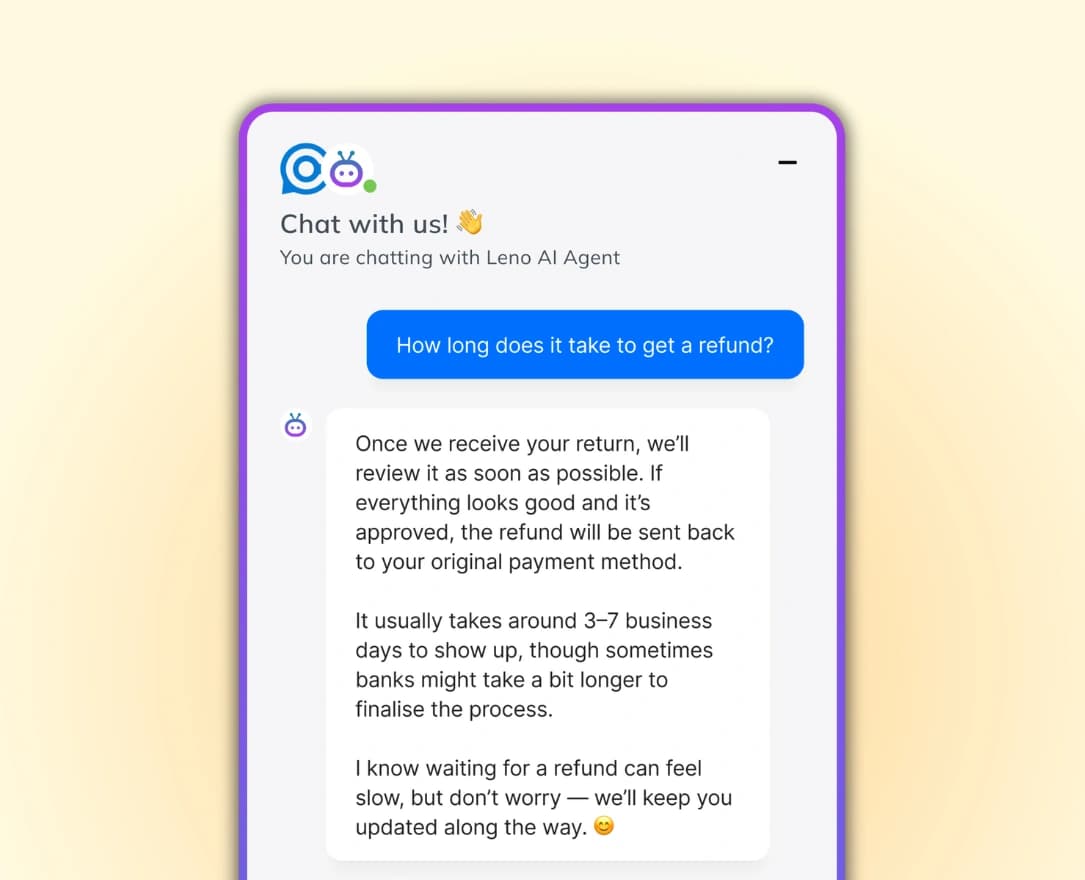
Visitors sometimes start a conversation and walk away. LenoChat detects inactivity and automatically closes the chat after a time you set — anywhere from 5 minutes to 2 days. Before closing, LenoChat sends a friendly message inviting the visitor to return. Your agents focus on active conversations, not stale ones.
Your brand voice, even during transitions.
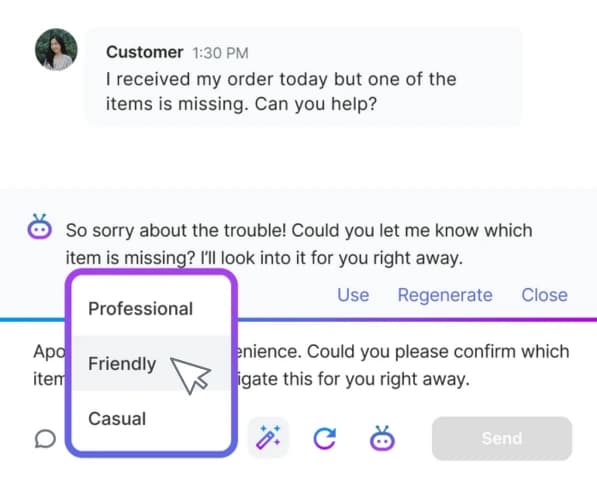
Customize the messages visitors see when Leno AI transfers them to a human agent, displays a contact form, or closes an inactive chat. Every touchpoint sounds like you, not a generic bot.

Set It Up in Under 2 Minutes
Choose your business hours behavior
Pick what happens when a visitor needs human help while your team is online — transfer to an agent or show a contact form.
Choose your after-hours behavior
Pick what happens when the same situation occurs outside business hours. Different rules, same simple setup.
Set your auto-close timer
Decide how long an inactive chat stays open before LenoChat closes it automatically. Default is 20 minutes — adjust to fit your workflow.
Customize your messages
Write the messages visitors see during handoff, form display, and auto-close. Make every word match your brand.
Built for How Your Business Actually Works
Always-Available Team
Large support team with 24/7 coverage
Setup
Transfer to agent during and outside business hours. Auto-close at 30 minutes.
Result
Every conversation reaches a human. Abandoned chats get cleaned up automatically.
Small Team With Set Hours
2–5 agents, available Monday to Friday, 9 AM – 6 PM
Setup
Transfer to agent during hours. Contact form after hours with email notifications enabled. Auto-close at 20 minutes.
Result
Visitors get live help during the day. After-hours inquiries are captured and waiting in your inbox the next morning.
Solo Operator
One-person business, can't be online all the time
Setup
Contact form during and outside business hours. Chat marked as resolved after submission. Email notifications on. Auto-close at 1 hour.
Result
Every inquiry arrives by email. No pressure to be online. Respond on your own schedule without losing a single lead.
What Our Customers Say
“I was hesitant to add live chat because I can't be online all the time, but this makes it really easy. The AI handles most enquiries and only passes them to me when needed. With the contact form, I can just reply by email when I'm available.”
Junction Accessories
United States
“What really stood out for us is how well the AI works alongside live chat. When the AI can't answer something, the handover to a real person is smooth and doesn't feel clunky at all.”
Pixel Burn Custom Laser
Australia
“I run my store mostly on my own and can't be online all the time. LenoChat handles the basic questions and captures messages so I can review them when I have time.”
Mój sklep
Poland
Frequently Asked Questions
What triggers a handoff?
Two things: when Leno AI cannot find an answer to a visitor's question, or when a visitor explicitly asks to speak with a human. In both cases, your handoff rules kick in automatically.
What if no agents are online when "Transfer to Agent" is selected?
The conversation waits in the unassigned chat list until an agent comes online. The visitor sees your transfer preset message and knows someone will follow up.
Does the auto-close timer affect chats picked up by agents?
No. Auto-close only applies to AI-assigned chats. Once a human agent takes over, the conversation stays open until the agent resolves it.
Can I set different handoff rules for different triggers?
The handoff mode applies to both triggers equally. But you can write different preset messages for each scenario — one for "AI can't answer" and another for "visitor requests a human" — so the experience feels contextual.
What happens to the chat after a visitor submits the contact form?
You choose. The chat can stay in your unassigned list for follow-up, or be automatically marked as resolved. Either way, the form data is captured and optionally emailed to you.
Stop Losing Customers Between Conversations
LenoChat's smart handoff keeps every visitor connected — whether your team is online or not. Set your rules once and let the AI handle the rest.
Try LenoChat Free