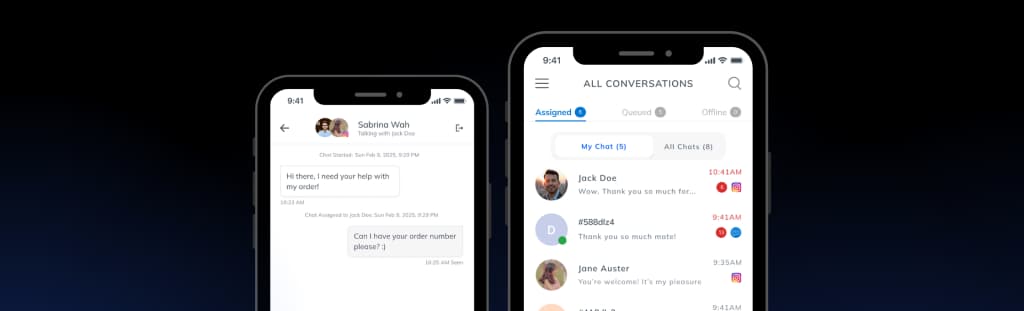
The WordPress Live Chat Plugin That Supports Customers Smarter
Connect WordPress with LenoChat to support customers directly from the conversation. View visitor details, access page context, manage inquiries, and answer questions without leaving the chat.

What is LenoChat for WordPress?
LenoChat for WordPress is a WordPress live chat plugin that connects your site to AI-powered customer support and one shared inbox. Add a live chat widget, see visitor details, and understand the page each person is browsing while the conversation is happening. The AI Agent answers common questions using your pages and posts, and AI Copilot suggests replies your team can edit before sending. It works with WordPress 5.8+ and fits alongside editors like Elementor, Divi, and Gutenberg. Shopify, WhatsApp, Instagram, and Facebook Messenger are supported alongside WordPress chat, with a free plan available and no credit card required.
WordPress Live Chat Plugin Features for Support and Engagement
See What Each Visitor Is Browsing in Real Time
View the pages your visitors are browsing in real time while chatting. Understand exactly what they're looking at and answer questions, resolve concerns, or guide them to the right content — all from the same conversation window.

Access Visitor Details Instantly from Chat
Look up visitor information without leaving the chat. See browsing history, page views, location, and session details right in the inbox. Resolve inquiries faster without switching between tools.

Train the AI on Your Site Content
Sync your site content with LenoChat AI so it can answer questions accurately. Your AI agent learns from your pages, posts, products, and WooCommerce content to give visitors instant, reliable answers.

Recommend the Right Content Automatically
Let AI suggest relevant pages and resources based on what visitors are asking about. When a visitor is browsing or asking for help, Leno AI surfaces the most relevant content from your site.

Let Visitors Find Answers in the Chat Widget
Visitors can find answers to common questions directly in the chat widget — no login required. The self-service feature reduces inbound support volume and gives visitors instant answers at any time.

More Features
Leno AI Agent & Copilot
AI-assisted customer support
Leno AI Agent can answer common questions automatically, while Leno AI Copilot suggests replies during live chats to help your team respond faster and more accurately.
Explore Leno AI→One Inbox for All Customer Messages
Multi-channel support, in one place
Manage conversations from your WordPress site, Shopify store, Instagram, Facebook, and WhatsApp in a single inbox. Your team can respond faster without switching tools.
Learn About One Inbox→Support Customers in Their Language
Built for global customers
Use LenoChat in your preferred language while supporting customers from different regions. Designed to make cross-language communication clearer and more efficient.
View Language Support→Follow our step-by-step installation guide to connect your WordPress site and start chatting with visitors in minutes.
See LenoChat WordPress Plugin Installation GuideFrequently Asked Questions
How is LenoChat different from a basic WordPress chat plugin?
LenoChat combines WordPress live chat with AI support and a shared inbox. You can chat with visitors, use site content for AI answers, and manage conversations from other channels in the same workspace.
How do I install LenoChat on my WordPress site?
Install LenoChat from the WordPress plugin directory in 3 simple steps: install the plugin, connect your site, and add the chat widget to your pages. No coding required.
Does LenoChat sync my WordPress content?
Yes. LenoChat can sync your site content so AI can answer content-related questions. Visitor details and browsing data are available to agents depending on your plan.
Can LenoChat AI answer visitor questions automatically?
Yes. LenoChat AI can answer common questions, suggest replies to agents, and recommend content based on your WordPress site. You stay in control — agents can review, edit, or ignore AI suggestions.
Will LenoChat slow down my WordPress site?
No. The LenoChat widget is lightweight and loads in the background. It does not affect your site's performance or page speed scores.
Can I use LenoChat with other channels besides WordPress?
Yes. LenoChat works across Shopify, Instagram, Facebook Messenger, and WhatsApp — all in one inbox alongside your WordPress conversations.
Is LenoChat suitable for small WordPress sites?
Yes. LenoChat is built for small and growing businesses. You get the essential features without a complex setup or enterprise pricing.
Does LenoChat support multiple agents?
Yes. You can add team members, assign roles, and manage permissions. All agents see conversations, visitor details, and chat history in real time.
What happens outside of chat operating hours?
LenoChat can show an offline form, collect visitor emails, and let AI answer basic questions while your team is away. You can follow up from the inbox later.
Can I customize the chat widget on my WordPress or WooCommerce site?
Yes. You can customize widget colors, style, greeting messages, position on the page, and language to match your brand.
Is LenoChat free?
Yes. LenoChat has a free plan with core features included. Paid plans unlock higher AI usage limits, supervision tools, and deeper site data access.
Available for WordPress teams on iOS and Android
Support Site Visitors on the Go