Your AI Should Know Your Products as Well as You Do
Sync your Shopify products to Leno AI and let it answer product questions with real prices, descriptions, and availability. One-click setup, automatic updates, always accurate.
Try LenoChat FreeWhat Is Product Training?
Product Training connects your Shopify product catalog to Leno AI. Click one button, and Leno AI indexes your product titles, descriptions, prices, images, and availability. Once synced, customers can ask questions like "How much is the Blue Widget?" or "Do you have this in stock?" and get accurate answers straight from your catalog — no manual data entry, no copy-pasting product details into chatbot scripts. Products sync automatically whenever you make changes in Shopify, so your AI always has current information. You stay in control with a simple on/off toggle, and Leno AI never modifies your Shopify store.
Why Product Training Changes the Conversation
When your AI knows your products, every customer question becomes an opportunity.
Answer Product Questions With Actual Product Data
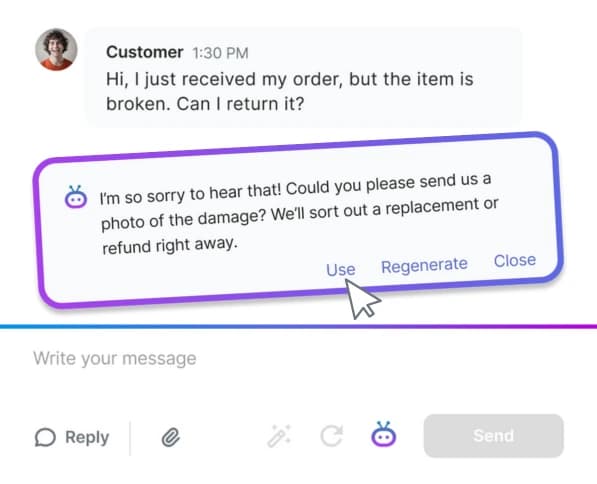
Generic chatbots say "Check our website." Leno AI pulls real prices, descriptions, and availability from your synced catalog and answers directly. A customer asks "What's the price of the Sunset Candle?" — they get the price, not a link to your store. That's the difference between a helpful assistant and a search bar.
Automatic Updates Every Time You Change a Product
Update a price in Shopify and it's reflected in your chat conversations immediately. No manual re-syncing, no stale data, no "let me check and get back to you." Leno AI stays in sync with your store in real time, so customers always get accurate information.
Connect Your Entire Catalog in Minutes
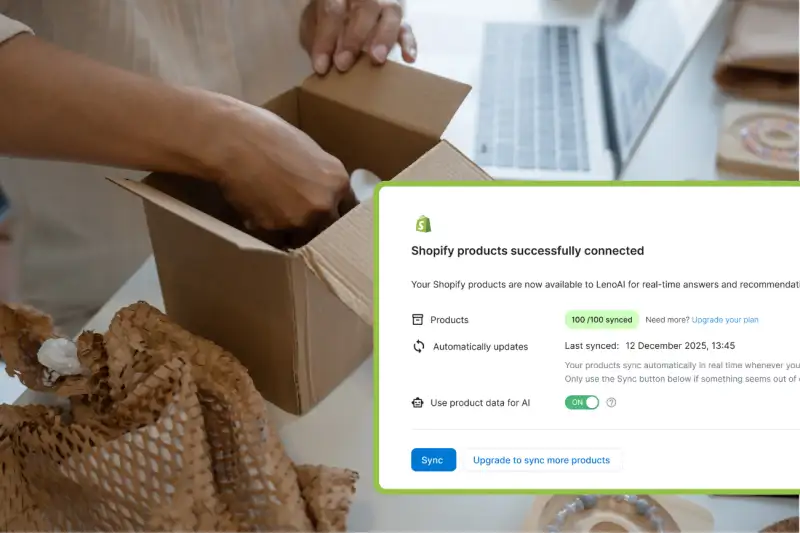
Click "Start Product Sync" and walk away. Leno AI indexes your active products — titles, descriptions, prices, images — in a single pass. Stores with up to 500 products sync in minutes. Larger catalogs finish in under 20 minutes. No CSV uploads, no API configuration, no developer needed.
Read-Only — Leno AI Never Modifies Your Shopify Data
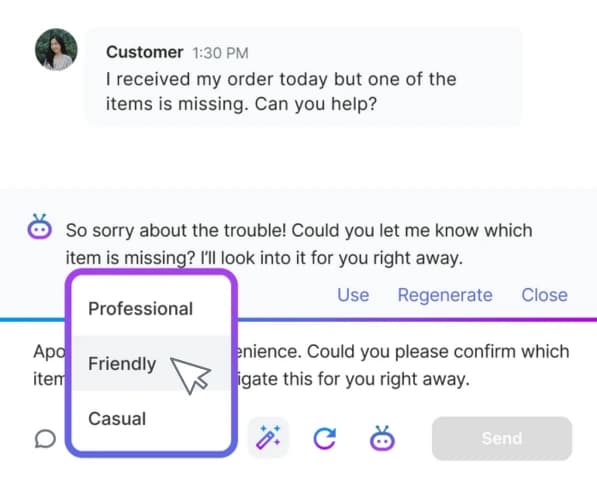
Product Training is completely read-only. It pulls data from Shopify but never writes back. Your product listings, prices, and inventory stay exactly as they are. Sync with confidence — nothing in your store changes.
How It Works
Connect Your Shopify Store
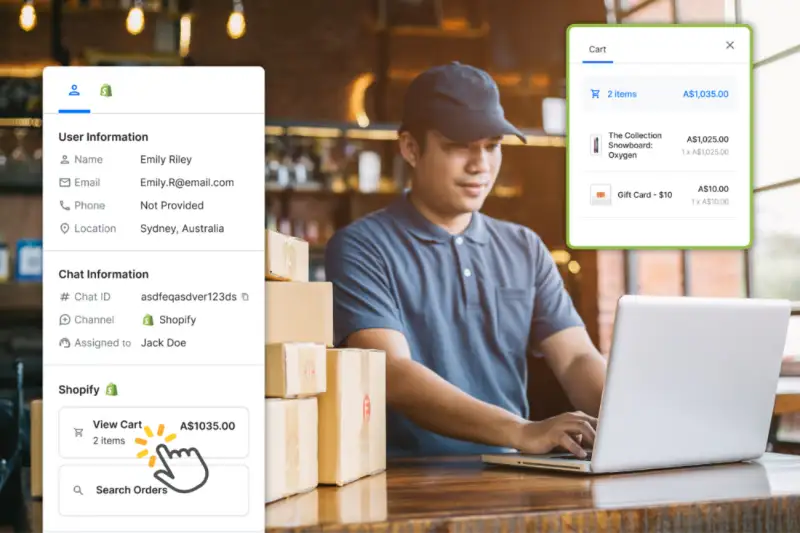
Go to Integrations, connect your Shopify store, then visit the Products page. Your plan's product quota is displayed so you know exactly how many products will sync.
Click "Start Product Sync"
One click starts the sync. A progress indicator shows products being indexed in real time. You can navigate away — the sync continues in the background.
Leno AI Answers Product Questions
Once synced, Leno AI uses your product data to answer customer questions with real prices, descriptions, and availability. Turn the "Use Product Data for AI" toggle on, and your AI is product-aware.
See What Product-Aware AI Looks Like
A customer asks "Do you have wireless headphones under $50?" — Leno AI searches your synced catalog, finds matching products, and responds with names, prices, and direct links. No scripted responses, no "let me transfer you to an agent." Just accurate product information delivered in seconds, inside the conversation.
Try Product Training FreeProduct Training Scales With Your Store
Free
100 products
Small stores getting started with AI support
Plus
1,000 products
Growing stores with expanding catalogs
Pro
5,000 products
Large catalogs that need full AI coverage
Leno AI prioritizes your most recently updated products. If your catalog exceeds your plan limit, upgrade anytime to train on more products.
Frequently Asked Questions
What product information does Leno AI learn?
Leno AI indexes product titles, descriptions, prices, images, and other metadata from your Shopify store. This allows it to answer detailed questions about your products with accurate, up-to-date information.
Do draft or archived products get synced?
No. Only active products in your Shopify store are synced. Draft and archived items are skipped to keep your AI responses accurate and relevant.
How often do products sync automatically?
Products sync in real time whenever you make changes in Shopify. There's no fixed schedule — updates are pushed automatically. Use the manual Sync button only if something seems out of date.
What happens if my store has more products than my plan allows?
Leno AI trains on your most recently updated active products up to your plan limit. Products beyond the limit are marked "Over Limit" in the dashboard. Upgrade your plan to train on more products.
Can I turn off product data in AI responses?
Yes. The "Use Product Data for AI" toggle lets you control whether Leno AI references your products in conversations. Product data stays synced even when the toggle is off — re-enable it anytime.
Does syncing affect my Shopify store in any way?
No. Product Training is completely read-only. It pulls data from Shopify but never modifies your store — no changes to your products, prices, or inventory.
Give Your AI the Product Knowledge It Needs
Sync your Shopify catalog and let Leno AI answer product questions with real data. One-click setup, always up to date.
Try LenoChat Free