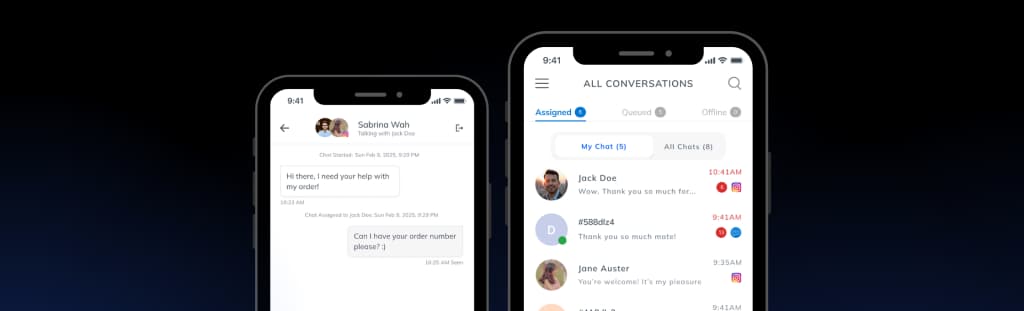
Facebook Messenger DM Management with Smarter Customer Support
Manage Page messages from one LenoChat support inbox. Reply to conversations, answer customer questions with AI, and handle inquiries without switching apps.

What is LenoChat for Facebook Messenger?
LenoChat for Facebook Messenger connects your Page messages to a unified support inbox. Your team can reply, answer questions, and resolve issues without opening Facebook. The AI Agent handles common questions, while AI Copilot suggests replies agents can edit before sending. It works through the official Messenger Platform API and never posts on your Page, changes your profile, or contacts people you have not already messaged. Shopify, WordPress, Instagram, and WhatsApp are supported in the same inbox.
Everything You Need to Support Customers in Page Messages
Reply to Page Messages from Your Support Dashboard
Manage every Page conversation from LenoChat's unified inbox. Your team can see new messages, reply in context, and keep conversations from other channels in the same workspace.

Access Full Conversation History Instantly
See each customer's conversation history across channels. When someone messages your Page, your team can review past messages, earlier issues, and the post, ad, or Marketplace inquiry behind the conversation when available.

Let AI Handle Common Customer Questions
Train LenoChat AI with your content so it can answer common customer questions. Your AI agent gives fast replies about products, pricing, shipping, and policies while your team handles complex requests.

Get AI-Powered Reply Suggestions
Leno AI Copilot suggests replies based on the conversation context. When customers ask about products, pricing, or availability, agents get draft answers they can edit and send faster.

Assign Page Conversations to the Right Team Member
Route Page conversations to the right agent based on topic or expertise. Your team can collaborate, leave internal notes, and make sure every message gets a timely response.

More Features
Leno AI Agent & Copilot
AI-assisted customer support
Leno AI Agent can answer common questions automatically, while Leno AI Copilot suggests replies during live chats to help your team respond faster and more accurately.
Explore Leno AI→One Inbox for All Customer Messages
Multi-channel support, in one place
Manage conversations from your website, Shopify store, Instagram, WhatsApp, and this channel in a single inbox. Your team can respond faster without switching tools.
Learn About One Inbox→Support Customers in Their Language
Built for global customers
Use LenoChat in your preferred language while supporting customers from different regions. Designed to make cross-language communication clearer and more efficient.
View Language Support→Follow our step-by-step guide to connect your Facebook Page and start managing conversations from LenoChat in minutes.
See Integration GuideFrequently Asked Questions
How is LenoChat different from using the Messenger inbox alone?
Messenger keeps Page conversations in Meta tools. LenoChat brings those messages into your shared support inbox so agents can work with AI help, notes, and other channels in one place.
How do I connect this channel to LenoChat?
Connect your Facebook Page to LenoChat in 3 simple steps: link your Business Page, authorize message access, and start receiving messages in your LenoChat inbox.
Does LenoChat work with Facebook Business pages?
Yes. LenoChat integrates with Facebook Business Pages through the official Messenger Platform API. You need admin access to the Page you want to connect.
Can LenoChat AI answer Page questions automatically?
Yes. LenoChat AI can answer common questions from Page visitors automatically. You stay in control — agents can review, edit, or take over any conversation at any time.
Will connecting LenoChat affect my Facebook page?
No. LenoChat only reads and replies to Messenger conversations through the official Messenger Platform API. It does not post content, modify your Page, or contact people you have not already messaged.
Can I use LenoChat with other channels too?
Yes. LenoChat works across Shopify, WordPress, Instagram, and WhatsApp — all in one inbox alongside your Page conversations.
Is LenoChat suitable for small businesses?
Yes. LenoChat is built for small and growing businesses. You get the essential features without a complex setup or enterprise pricing.
Does LenoChat support multiple agents?
Yes. You can add team members, assign roles, and manage permissions. All agents see conversations, customer details, and chat history in real time.
What happens outside of chat operating hours?
LenoChat can let AI answer basic questions while your team is away. You can also set auto-replies and follow up from the inbox later.
Can I manage multiple Facebook Pages in LenoChat?
Yes. You can connect multiple Facebook Pages and manage all their Page conversations from a single LenoChat inbox.
Is LenoChat free?
Yes. LenoChat has a free plan with core features included. Paid plans unlock higher AI usage limits, supervision tools, and additional channel integrations.
Available for teams on iOS and Android
Support Page Messages on the Go