How to run Instagram customer service for a small store without missing DMs
Good Instagram customer service for a small store comes down to one place to check, saved answers for repeat questions, a reply inside the hour and a clear rule for when a comment goes private.

Key takeaways
- 35% of US consumers expect a brand to reply on social media within an hour, in a 2025 Emplifi survey.
- Instagram's inbox filters for story replies, unread and unanswered messages make the app workable for a solo seller.
- Check whether a shared inbox covers post comments, because some only bring in DMs and story replies.
- 51% of people who contact a brand publicly expect a public reply before you move them to a DM.
- Use automation for repeat questions and keep people on complaints, since 67% of US consumers prefer a human reply.
- Where should your Instagram messages live?
- Which Instagram questions should get a quick reply?
- How fast should you reply to Instagram DMs and comments?
- When should you move a comment into a private message?
- Which Instagram setup fits your store?
Instagram customer service gets easier once DMs, story replies and comments stop living in separate places. Instagram brand accounts received 18 messages a day in 2024, up from 13 in 2023, according to Sprout Social. Here’s how to sort them, answer them and decide what stays public.
Where should your Instagram messages live?
Your Instagram messages should live in one place you check at set times, and which place fits depends on how many people answer them. Right now they probably arrive through three doors: DMs, the private direct messages people send your account, story replies, and comments under posts and reels. Each one is a customer asking something, and each is easy to miss while you’re packing orders.
Customers use all three. The 2025 Sprout Social Index found that comments, @-mentions and DMs are the channels people prefer when they want help from a brand on social. Instagram brand accounts also drew an average of 27 engagements a day in Sprout Social’s benchmark data, more than any other big platform.
That’s a lot to track from notifications alone. You have three realistic setups, and they differ in who can answer, which message types they cover and whether anything replies while you sleep.
The Instagram app with inbox filters

The Instagram app on its own works if one person answers and keeps up within the day. Instagram made this much easier in August 2025, when it added filters that sort your inbox into Unread, Unanswered, Story replies, Followers and Verified users, Social Media Today reported. You can also make your own folders, drop any filter you don’t use apart from Requests, and rearrange the row of shortcuts along the top.
Those tools are open to every Professional account, plus personal accounts above 100,000 followers, according to Social Media Today. If your store still runs on a personal account, switching it to a Professional account is the first job.
A setup that works for a solo seller: put Unanswered first in your shortcuts and Story replies second, then create folders for the jobs you repeat, such as Orders and Returns. Keep an eye on Requests, the one filter you can’t remove. Clear Unanswered to zero before you close for the day.
The weak spots are comments and access. Comments stay under each post and reel rather than in the inbox, so they need their own daily pass. And the whole inbox sits on whichever phone holds the login, which gets awkward the moment a second person helps out.
A shared inbox for every channel

A shared inbox is one screen where several people see and answer messages from different channels, and see who has already replied. It earns its place once a second person answers messages, or once Instagram is one of several places you sell. If you also run website chat or WhatsApp, a multichannel inbox for chat, WhatsApp, Instagram and Messenger gives you one queue instead of four apps. The habits that keep a small team from answering the same customer twice are covered in this guide to running a shared inbox without double replies.
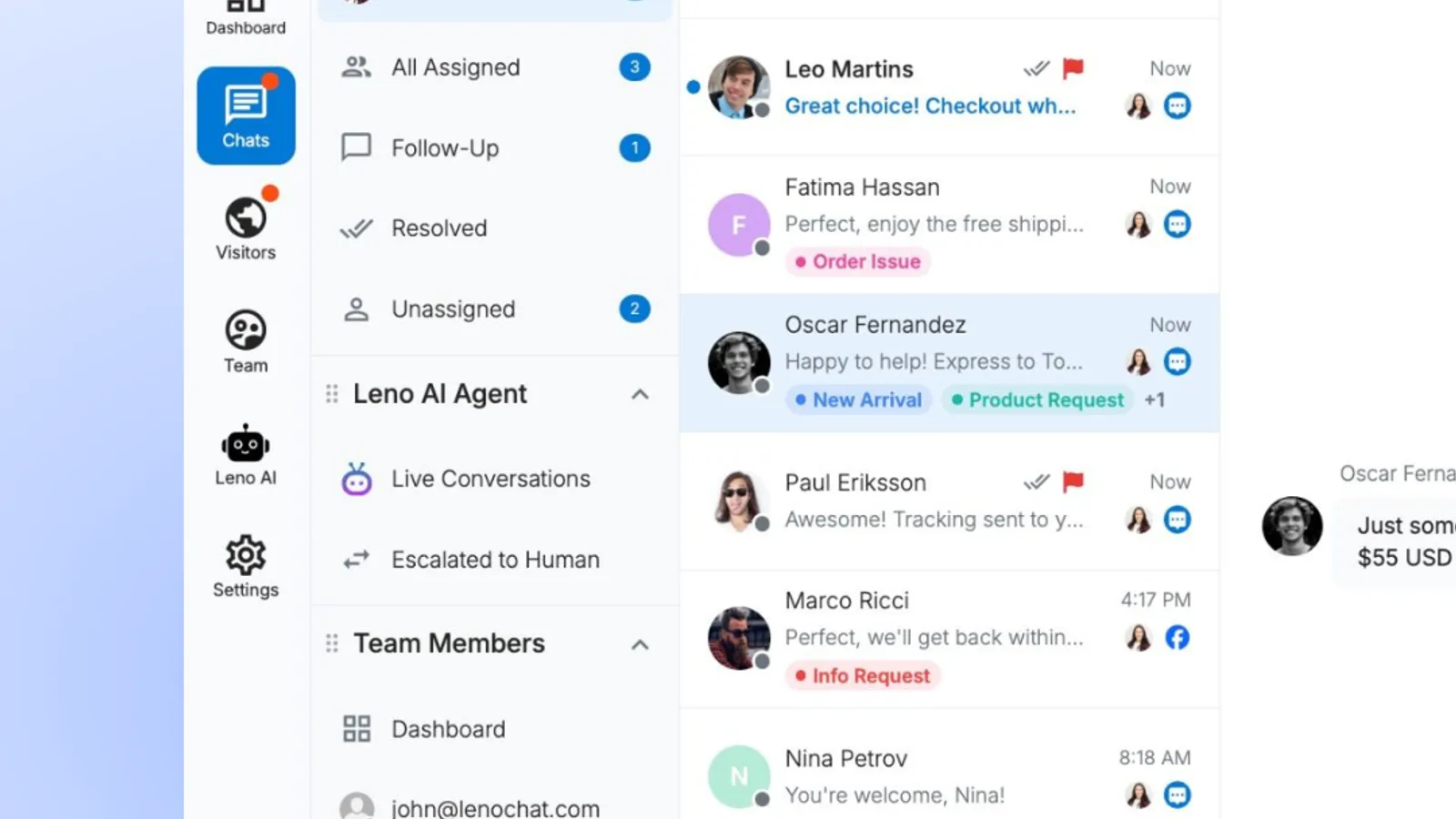
Check what a tool actually brings in before you switch. LenoChat, for example, puts Instagram DMs and story replies in the same inbox as website chat, WhatsApp and Facebook Messenger, but its Instagram DM integration covers direct messages only, so post, reel and live video comments still need the Instagram app. It also needs an Instagram Business account linked to a Facebook Page you manage, so sort out the account type first.
A shared inbox with an AI agent in front

An AI agent, software that answers incoming messages on its own using answers you’ve given it, handles repeat questions straight away and passes the rest to a person. It’s the only setup of the three that replies while you’re asleep. It’s only as good as what you feed it, so start with this guide to building a knowledge base that gives accurate answers.
Customers are split on bots. 69% of consumers are fine with a brand using AI if it gets them help faster, according to Sprout Social’s Q4 2025 Pulse Survey. Yet in Emplifi’s 2025 survey of US social media users, 67% said they’d rather hear from a person than a bot when they message a brand on social.
The way through is to be open about the bot and keep a person within reach. 83% of US consumers want brands to say when they’re using AI, according to an Emplifi survey published in October 2026. Make the first automated message say it’s a bot, and let customers reach a human by typing a request or tapping a button, with the bot going quiet as soon as they do.
Start the agent on the questions you’d answer with a saved reply anyway, like stock, shipping and order status. Leave complaints, refunds and custom orders to people, and read through what the agent sent each week.
Here’s how the three setups compare on the things that shape your day.
| Setup | DMs and story replies | Post and reel comments | Who can answer | Hours covered |
|---|---|---|---|---|
| The Instagram app with inbox filters | One inbox, sorted by filters and folders | In the same app, under each post | Whoever has the login | Whenever someone opens the app |
| A shared inbox for every channel | One queue alongside chat, WhatsApp and Messenger | Only if the tool supports comments | Every teammate with a seat | Your team’s working hours |
| A shared inbox with an AI agent in front | Same queue, AI answers first | Only if the tool supports comments | The AI plus every teammate | Around the clock for questions it knows |
The Instagram app is enough for one person handling a few dozen messages a day, while a shared inbox beats it the moment a second person starts answering or a second channel starts bringing in questions.
Which Instagram questions should get a quick reply?

Any question you’ve answered the same way three times deserves a quick reply, and for a store that means price, sizing, stock, shipping, returns and order status. A saved reply, also called a quick reply or canned response, is a message you write once and insert with a tap or a shortcut. It saves typing, and it means the answer is the same whoever sends it.
Start with these:
- Price and stock, with a link to the product page.
- Size and fit advice, with your size chart.
- Where you ship, what it costs and how long delivery takes.
- Where’s my order, asking for the order number up front.
- How returns and exchanges work.
- Restock dates for sold-out items.
- Whether you take custom or wholesale orders.
Keep each one short. Open with the customer’s name, answer the question in the first line and end with one question that moves them toward buying. A sizing reply might read: Hi Sam, this jacket runs true to size and most people between sizes go up one. Here’s the size chart. Want me to check your size is in stock?
Saved replies still have to sound like a person wrote them. In an Emplifi survey of 1,650 US and UK consumers, 81% said it matters that service sounds human. Read each reply aloud before you save it, and cut anything you wouldn’t say across a shop counter.
Don’t use a saved reply on a complaint. A customer with a damaged parcel or a late refund wants proof that someone read their message, so write that reply fresh and paste in the saved text only for policy details. For more wording to adapt, see these saved replies a support team can use every day.
See how LenoChat handles this for small teams.
How fast should you reply to Instagram DMs and comments?
Reply within an hour when you can and within 24 hours at the latest, because that’s where most customers run out of patience. Roughly three in four consumers want a brand to get back to them on social within 24 hours, often sooner, according to the 2025 Sprout Social Index. CX Foundation notes that the Index surveyed over 4,000 consumers plus 1,200 marketers.
A sizable group wants it much faster. In Emplifi’s 2025 survey of close to 1,000 frequent social media users in the US, 35% expected a brand to answer on social media within an hour, according to Emplifi’s own summary. Social Media Today, covering the same Social Pulse survey, put the share expecting a DM answer inside the hour at 32%.
Slow replies cost sales. 73% of people on social media say they’d switch to a competitor if a brand left them unanswered, according to the Sprout Social Index. And in the same US survey, 46% of consumers said they drop a brand after a second bad experience, Emplifi found, so one ignored complaint already uses up half of that goodwill.
If a bot answers, the clock runs faster. 66% of the 854 US consumers in Emplifi’s October 2026 survey want an instant answer when AI handles support on social media, and just 24% would hold on for an hour. An AI agent that answers as slowly as a person has lost its main advantage.
You don’t need to live on your phone to hit these times. Check at fixed points, such as opening, lunch and closing, and clear the Unanswered filter each time. When you’re closed, say so: if your tool can send an automatic first reply, use it to tell people when you’ll be back, so silence doesn’t read as being ignored.
The number to watch is first response time, the minutes between a customer’s first message and your first reply. This guide to the metrics that show whether your team is doing well covers how to track it and what to compare it against.
When should you move a comment into a private message?

Move a comment into a DM when the answer needs personal details, like an order number, an address or a refund, but reply in public first. 51% of people who raise something with a brand in public want a public response before they’re asked to switch to a DM, according to Sprout Social’s Q4 2025 Pulse Survey. If you jump straight to the DM, everyone else reading the comments sees a question you ignored.
Use a simple sort for every comment:
- Answer in the comments when the question is about price, sizes, materials, restock dates or where you ship.
- Reply publicly, then move to a DM for order problems, address changes, refunds and anything involving personal information.
- Answer complaints in public first, so other customers see you responded, then fix the problem in a DM.
Public product answers do double duty. Other shoppers read the comments before they buy, so your answer to one person’s sizing question also answers everyone who scrolls past it later. Keep those replies short and friendly, and treat them as part of the product page.
A public reply to a complaint can be one line: use the customer’s name, say sorry and say you’ve sent them a DM. Then send that DM within minutes, open it with what you already know so they don’t have to repeat themselves, and ask only for what you need to fix it. Once it’s solved, a short follow-up under the original comment shows the next reader the problem was handled.
Expect more of this in the busy season. 65% of consumers expected to lean on social media at least as much as the previous year for holiday support questions, according to Sprout Social’s Q4 2025 Pulse Survey. Write your holiday shipping and returns replies before the rush starts.
Which Instagram setup fits your store?

Choose the Instagram app if you answer alone, a shared inbox if two or more people answer, and add an AI agent when repeat questions keep you from replying within the hour. Getting this right pays off past a single sale: people who get help from a brand on social are 2x as likely to buy from it again, Emplifi reported.
The Instagram app with inbox filters. Best for solo sellers who clear the Unanswered filter every day. Not for teams passing one login around.
A shared inbox for every channel. Best for stores where two or more people answer, or that also sell through website chat or WhatsApp. Not for sellers whose questions come mostly through post comments.
A shared inbox with an AI agent in front. Best for stores that get most questions after business hours. Not for stores whose messages are mostly complaints or custom orders.
Whichever you pick, the routine matters more than the tool: one place to look, saved replies for the repeat questions, an answer inside the hour while you’re open, and a public reply before any comment moves to a DM. Once a month, look back at which questions came up most and which waited longest, then add a saved reply or agent answer for the top one.
If you’re still deciding which channels to offer at all, compare how customers actually want to message you on live chat, WhatsApp or Instagram before you add another inbox to check.
Ready to answer every customer from one place? Start free with LenoChat.
Frequently asked questions
What should I do with messages in Instagram's Requests folder?
Treat Requests as part of your inbox, not a spam bin. Instagram doesn't let you remove that filter, so check it at the same fixed times as Unanswered, reply to genuine customer questions and clear out the rest so real messages don't sit there for days.
Do US shoppers prefer a person or a bot for help on social media?
A person, by a wide margin. In Emplifi's October 2026 survey of US consumers, 56% would rather get help from a person on social media, against 25% who'd pick AI. Let a bot take quick factual questions and keep a person easy to reach.
What makes customer service on social media feel authentic?
Speed comes first. In an October 2026 Emplifi survey of 1,650 US and UK consumers, 84% said fast replies are critical to service that feels authentic. A quick, plain answer to the actual question beats a polished one sent hours later.
Should a small store reply to every Instagram comment?
Reply to every question and every complaint. Short positive comments, like an emoji or a quick compliment, don't need a written answer, so a like or a brief thank-you is enough there and keeps your time for the comments that can turn into sales.
Sources
Image credits
Related Articles
 Marketing
AI chatbot limitations for questions that need a person
AI chatbot limitations matter most when one wrong answer can cost money, expose an account or put someone at risk. In a 2026 global survey, Gartner found 87% of customers wanted access to a person when companies used generative AI. Start with these six handoffs. A bot is better suited to repeat policy lookups than […]
 Marketing
How to train new support agents for chat in their first week

You can train new support agents to answer simple chats alone by the end of their first week. That week matters: about 70% of contact center agents who quit in year one leave within 90 days, a 2024 COPC report found. Here’s the plan, day by day. Those figures come from large contact centers. In […]
 Marketing
Shipping delay message templates for late, lost and sold-out orders
A shipping delay message works best when it arrives before the customer asks. In a 2025 Sendcloud survey of UK shoppers, 85.4% said they expect to hear immediately when an order runs late. Here are ready-to-paste messages for late, lost, sold-out and partly shipped orders. What does every shipping delay message need to include? Every […]
 Marketing
Facebook Messenger for business without missed leads
On this page How fast should you reply to a Facebook message? Where should your Facebook messages go? Which Messenger questions should you cover with quick replies? What should happen to messages that arrive after hours? How do you stop Messenger leads from being forgotten? Facebook Messenger for business works best when every message has […]
 Marketing
Chat lead generation without a long form

You can improve chat lead generation without turning the conversation into a form. Sleeknote found that one-field forms converted at 4.41% across more than 329 million popup impressions. Start with one easy detail, earn the next, and pass the full conversation to sales. 1. How can you ask for one detail first? Photo: Jonas Leupe […]
 Marketing
Proactive chat messages that help visitors instead of interrupting them
A proactive chat message, sent before the visitor types anything, can save a sale or lose one. In Baymard Institute’s survey of US shoppers, 40% of those who abandoned checkout blamed extra costs like shipping, a question one well-timed message answers. Here’s when to speak first, and what to say. Every template below uses {curly} […]