Facebook Messenger for business without missed leads
Facebook Messenger for business becomes manageable when every message reaches one inbox, gets an owner and receives a clear reply deadline.

Key takeaways
- Reply to new leads within 5 minutes when you can.
- Put Messenger in the inbox your team already checks.
- Automate acknowledgments and repeat questions, not sensitive cases.
- Every open conversation needs an owner and a next action.
On this page
- How fast should you reply to a Facebook message?
- Where should your Facebook messages go?
- Which Messenger questions should you cover with quick replies?
- What should happen to messages that arrive after hours?
- How do you stop Messenger leads from being forgotten?
Facebook Messenger for business works best when every message has an owner and a deadline. Sprout Social reports that 73% of social users across its global research would buy from a competitor after a brand fails to respond. Here’s how to catch those leads without watching Facebook all day.
How fast should you reply to a Facebook message?
Aim to reply to a new Messenger lead within 5 minutes while you’re open, then send a useful update as soon as you have the full answer. The benchmark comes from an InsideSales lead response study published in 2021, which found that conversion rates were 8x higher when businesses contacted inbound leads within the first 5 minutes rather than later.

That study covered inbound leads across many channels, not Messenger alone. The lesson still applies: a person asking whether you have an appointment, product or delivery slot is often comparing several businesses at once. Your first response time, the time between the customer’s first message and your first human reply, decides whether the conversation stays active.
Not every business can maintain a 5-minute target all day. Set a target that matches your staffed hours, publish those hours and use an automatic acknowledgment when nobody is available. Sprout Social’s global research found that about three-quarters of consumers expect a social media response within 24 hours or sooner, but a lead who is ready to buy may not wait that long.
The effect is especially clear for time-sensitive services. In its US home services research, Invoca reports that 79% of consumers will switch to whichever business responds fastest. A restaurant booking, repair request or product availability question can carry the same urgency.
Use this response policy based on InsideSales’ 2021 lead response findings and the expectations reported by Sprout Social:
- During staffed hours, acknowledge a new lead within 5 minutes.
- If research is needed, say who is checking and when the customer will hear back.
- Outside staffed hours, confirm receipt immediately and give the next reply window.
- Move complaints, payment problems and unusual requests to a person.
The acknowledgment doesn’t need to solve the problem. It needs to show that someone owns it. A short, accurate first reply is better than leaving the message unread while you prepare a perfect answer.
Where should your Facebook messages go?
Put Facebook messages in the inbox your team already checks, rather than relying on someone to remember a separate Facebook tab. You have three practical setups: the Page inbox, Meta Business Suite or a shared multichannel inbox.
The right choice depends on how many people reply and whether Messenger is your only customer messaging channel. A solo owner with a few messages can stay in Facebook. A team answering website chat, Instagram and WhatsApp needs one visible queue and clear ownership.
Page inbox

The Page inbox suits one person who already works in Facebook throughout the day. It has the least process to learn, and the owner sees the message in the same place they manage the Page.
The weakness is attention. A message can sit unnoticed when the owner moves to email, takes a call or leaves Facebook to do the work the customer asked about. This setup becomes risky as soon as more than one person shares replies because neither person can easily tell who owns the next action.
Meta Business Suite

Meta Business Suite suits a business that mainly handles Facebook and Instagram. Its Inbox area gives you native Messenger controls, including Instant Reply, Away Message and automations for common questions.
Meta’s Business Help Center directs Page administrators to Inbox and then Automations to set up automatic responses. This gives a small team a workable starting point without adding another system.
Native automations have limits. Meta’s overview of Inbox automations explains that keyword rules rely on the wording a customer enters. These rules don’t understand the customer’s meaning in the way a person would.
Shared multichannel inbox

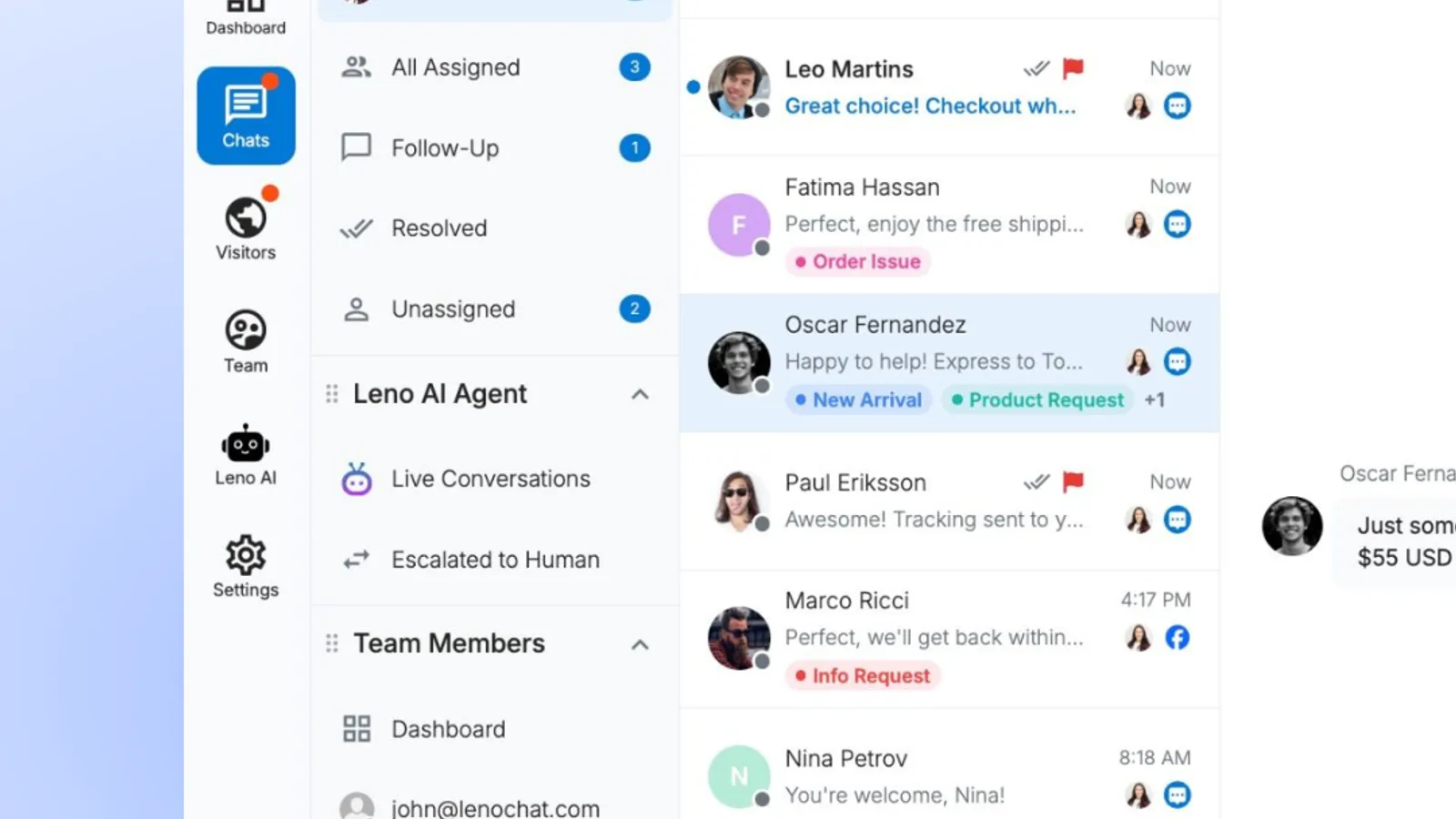
A shared multichannel inbox, one queue where several people handle messages from different channels, suits a team that already answers customers outside Facebook. It reduces tab switching and makes unassigned conversations visible to everyone.
LenoChat is one example: its Facebook Messenger integration puts Page messages into the support inbox, sends agent replies back to Messenger and keeps the customer’s conversation history. If you also manage Instagram, compare the workflow with a practical guide to running Instagram customer service.
Meta’s Business Help Center describes the native Inbox automation options. The three common setups compare as follows:
| Approach | Where replies happen | Channels visible | Automatic coverage | Ownership method |
|---|---|---|---|---|
| Page inbox | Page messages | Manual replies | Team agreement | |
| Meta Business Suite | Business Suite inbox | Meta channels | Native replies and rules | Inbox status |
| Shared multichannel inbox | Team support inbox | Connected support channels | Depends on the inbox | Assignment and queue |
A shared multichannel inbox reduces tab switching compared with a Page inbox because Messenger sits beside the other channels your team already answers. It also needs a clear assignment rule. Otherwise, moving messages into a new inbox only moves the confusion.
If several people will reply, decide whether the first available teammate claims each message or a named person handles all Messenger leads. The shared inbox workflow for small teams explains how to prevent duplicate replies while keeping unassigned messages visible.
See how LenoChat handles this for small teams.
Which Messenger questions should you cover with quick replies?
Cover questions with stable, repeatable answers first, especially opening hours, location, service area, availability and the next step for booking or buying. These replies save time without asking automation to make a judgment it can’t make safely.

Start with the questions your team answers the same way every week:
- Opening hours and holiday hours.
- Address, parking details and service area.
- How to request a quote or book an appointment.
- Whether a common product or service is available.
- Delivery, collection or turnaround expectations.
- Which details the team needs before it can help.
Keep each answer narrow. A useful quick reply answers the question, gives the next action and tells the customer when a person will step in. Don’t load shipping rules, return terms and every exception into one block of text.
Meta Business Suite includes automations for frequently asked questions, business hours and location. Its custom keyword rules allow up to 5 exact-match, case-sensitive phrases per automation, and the system may wait about 15 minutes for a human reply before sending a custom keyword response.
Exact-match means the rule looks for the wording you entered, not the customer’s underlying request. A rule for opening hours may miss a message asking whether you’re still open. Add the common variations you actually receive, then check the inbox for messages the rule missed.
An AI assistant, software that interprets the meaning of a message before choosing an answer, can cover more wording variations than a keyword rule. It still needs approved business information and a human handoff. If you use LenoChat, Leno AI can answer incoming Messenger questions from the knowledge base and place the conversation in the unassigned queue when the visitor asks for a person.
Keep people responsible for prices that need a custom quote, complaints, refunds, account access and anything involving sensitive details. A quick reply should reduce waiting, not trap the customer in a loop.
What should happen to messages that arrive after hours?
Send an away message immediately, state when a person will reply and collect the information needed to continue the conversation. Don’t make the customer guess whether the Page is monitored at night.

Meta’s Help Center instructions for Page away messages explain that the message goes to people who contact the Page while its status is set to away. You choose the away hours and time zone, then write the response customers will receive.
Meta also says Instant Replies don’t count toward a Page’s response rate or response time. Messages received while the Page is marked away are excluded from those measurements too, so automatic acknowledgments don’t earn the responsive badge in place of a human reply.
A practical away message contains four things:
- Confirmation that the message arrived.
- Your next staffed period.
- The details you need to help.
- A route for genuinely urgent requests, if you offer one.
Example: Thanks for messaging {business name}. We’re closed now and will reply on {day} from {time}. Please send your name, the product or service you need and your preferred contact details so we can help when we reopen.
Keep the message short enough to scan on a phone. InstantDM recommends keeping an Instant Reply well under 500 characters. The same discipline helps an away message because the customer should see the reply promise and requested details without opening a long block of text.
Automation can answer a straightforward question after hours, but it shouldn’t pretend a person is present. In Sprout Social’s global late-2025 survey, 69% of consumers said they were comfortable with brands using AI to provide faster customer care. Comfort doesn’t remove the need to identify the automated response and offer a route to a person.
If a customer first complains in a public comment, acknowledge them there before moving personal details into Messenger. Sprout Social found that 51% of consumers in its global survey who contact a brand publicly expect a public acknowledgment before the conversation moves to a private message.
Review your away message whenever your hours change. For more wording options, use these away message templates for nights and weekends and replace vague promises with the actual period when someone will return.
How do you stop Messenger leads from being forgotten?
Give every open Messenger conversation an owner, a next action and a daily review point. Notifications draw attention to a message, but ownership is what keeps it from disappearing after the first reply.

Use a small set of conversation states that everyone understands:
- New means nobody has reviewed the message.
- Owned means a named teammate is responsible.
- Waiting for customer means the team has asked for information.
- Follow-up means the customer needs another message from you.
- Closed means no further action remains.
Don’t mark a lead closed just because you sent a price or booking link. If the customer was ready to buy, set a follow-up point while the request is still current. Invoca’s US home services research found that 60% of consumers waited more than an hour after submitting a web form, while 79% said they would switch to the fastest responder.
A web form isn’t Messenger, but both create an inbound lead that can lose value while it waits. Review unassigned conversations at opening time, before lunch and before closing. During busy periods, the person who can’t finish a reply should assign it rather than leave it open in their own view.
Track first response time, the age of the oldest unassigned message and how many conversations need follow-up. These measures reveal different problems. A slow first response points to coverage, an old unassigned message points to ownership, and a growing follow-up list points to unfinished sales work. The same logic appears in a broader set of customer service response metrics.
Best for: A shared multichannel inbox is best for businesses with several responders or customer conversations spread across Messenger and other channels.
Not for: A shared inbox adds unnecessary process when one owner receives only a few Page messages and already checks Facebook throughout the day.
Choose the Page inbox if one person handles a low message volume. Choose Meta Business Suite if Facebook and Instagram carry most of your conversations and native automations cover your repeat questions. Choose a shared inbox when several people or several channels need the same queue.
Start with the smallest change that fixes the missed-lead problem. Set a reply target, turn on the correct after-hours message and make one person responsible for every open conversation. Move to a shared inbox when the team can no longer see ownership clearly.
Ready to answer every customer from one place? Start free with LenoChat.
Frequently asked questions
Do Facebook Messenger automatic replies improve a Page's response time?
No. Meta's Help Center says Instant Replies and messages received while a Page is away don't count toward its response rate or response time.
Can a personal Facebook profile connect to a business inbox?
No. Meta Business Suite automations and business inbox integrations work with Facebook Pages, not personal profiles.
Do Messenger Instant Replies answer comments on Facebook posts?
No. Instant Replies and Away Messages respond to private Messenger conversations, not comments left on Page posts.
Should a Messenger bot answer every customer question?
No. Use automation for repeat questions with stable answers. Send complaints, unusual requests, payment issues and sensitive cases to a person.
Sources
Image credits
Related Articles
 Marketing
AI chatbot limitations for questions that need a person
AI chatbot limitations matter most when one wrong answer can cost money, expose an account or put someone at risk. In a 2026 global survey, Gartner found 87% of customers wanted access to a person when companies used generative AI. Start with these six handoffs. A bot is better suited to repeat policy lookups than […]
 Marketing
How to train new support agents for chat in their first week

You can train new support agents to answer simple chats alone by the end of their first week. That week matters: about 70% of contact center agents who quit in year one leave within 90 days, a 2024 COPC report found. Here’s the plan, day by day. Those figures come from large contact centers. In […]
 Marketing
Shipping delay message templates for late, lost and sold-out orders
A shipping delay message works best when it arrives before the customer asks. In a 2025 Sendcloud survey of UK shoppers, 85.4% said they expect to hear immediately when an order runs late. Here are ready-to-paste messages for late, lost, sold-out and partly shipped orders. What does every shipping delay message need to include? Every […]
 Marketing
Chat lead generation without a long form

You can improve chat lead generation without turning the conversation into a form. Sleeknote found that one-field forms converted at 4.41% across more than 329 million popup impressions. Start with one easy detail, earn the next, and pass the full conversation to sales. 1. How can you ask for one detail first? Photo: Jonas Leupe […]
 Marketing
Proactive chat messages that help visitors instead of interrupting them
A proactive chat message, sent before the visitor types anything, can save a sale or lose one. In Baymard Institute’s survey of US shoppers, 40% of those who abandoned checkout blamed extra costs like shipping, a question one well-timed message answers. Here’s when to speak first, and what to say. Every template below uses {curly} […]
 Marketing
How to handle a return request chat and keep the customer
A return request chat can save the next sale if you settle the facts before debating the refund. In a 2025 US survey, the National Retail Federation and Happy Returns found that 71% of consumers were less likely to buy again after a poor returns experience. Use this four-part flow to protect the customer relationship. […]